Image delivery / size check
Deliver three image sizes and verify dimensions and count
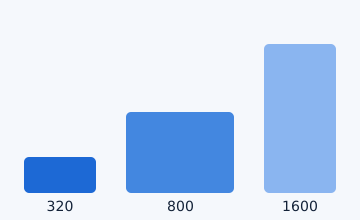
Use 320, 800 and 1600px maximum-edge targets, then check actual saved dimensions and file count before handoff.
Image delivery / size check
Use 320, 800 and 1600px maximum-edge targets, then check actual saved dimensions and file count before handoff.
These are maximum-edge targets. With aspect ratio preserved, an actual width or height can be smaller than the target. Verify the saved files, not only the settings.
| Use | Maximum edge | Count | Decision |
|---|---|---|---|
| thumbnail | 320px | 1 | Make the small preview |
| standard | 800px | 1 | Make the standard delivery |
| large | 1600px | 1 | Make the high-resolution delivery |
| all-sizes | 320 / 800 / 1600px | 3 | Check all three files |
| Portrait example | up to 800px | 1 | Preserve aspect ratio |
| Unknown destination | Unknown | Unknown | Stop and verify |
This is a static browser-local guide. No real image, input or fixture is sent or stored externally.
It does not guarantee that a destination accepts the targets, turn every image square, or preserve identical quality and color management. Check the saved dimensions and target environment.