QR distribution / print verification
Verify QR print size, quiet zone and decoded content
Before distribution, compare the printed size, clear margin and content that was actually decoded. Do not PASS while any condition is unknown.
QR distribution / print verification
Before distribution, compare the printed size, clear margin and content that was actually decoded. Do not PASS while any condition is unknown.
A visible QR image is not the same as a scannable distributed item. Record size, quiet zone and decoded content separately.
| State | Meaning | Decision | Next step |
|---|---|---|---|
| Verified | All three conditions match | Compare the sheet | Keep the final sample |
| Mismatch | Size, margin or content differs | Do not distribute | Generate or print again |
| Unknown | Unreadable or not inspected | Do not PASS | Inspect the real item |
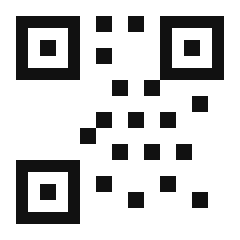
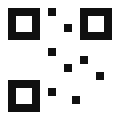
qr-sample.svg is the 30 mm, 4 mm quiet-zone, expected-URL baseline. qr-small.svg is too small and qr-wrong-content.svg has a content or margin mismatch. No real scan result is included.
This guide and its fixtures are static files. No real QR or input is sent or stored externally.
Verified means that the declared three conditions match. It does not guarantee every device, lighting condition, printer or destination will scan successfully.